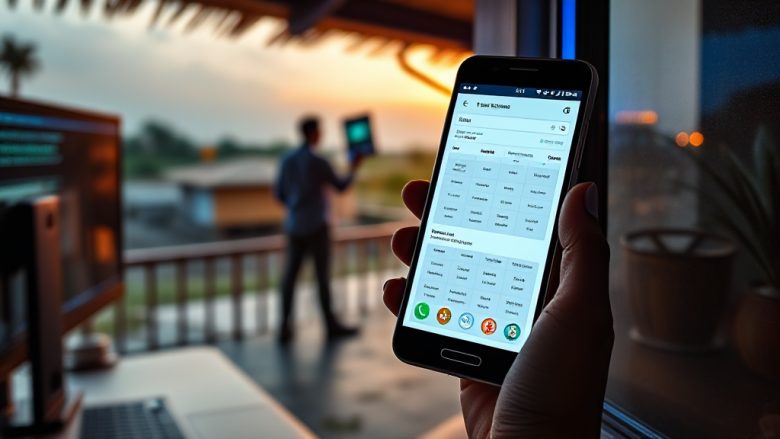
When the Signal Drops: Comparing 3Patti Apps Online From a Slow Connection
Meera stands at the edge of her veranda, holding a mid-range Android phone above her head because that is where the signal lives. She has two bars, a data pack with a few hundred megabytes left, and a simple goal: compare a few 3Patti apps before deciding which one to install. Within minutes, the pages she opens either time out or load without images, and she realises the honest truth about rural app discovery — connection quality, not app quality, decides what she can actually see. If you are searching for 3Patti Apps Onlines, the first practical question is not which app is best, but which pages will load before your data runs out.
Why the Signal, Not the App, Sets the Pace
In a city, a comparison page is a quick scroll. In a village with patchy 4G or a shared Wi-Fi hotspot, every image is a negotiation. App store listings are image-heavy by design, so a weak connection turns a five-minute browse into a twenty-minute wait. That changes the order in which you should do things.
The practical sequence for a slow connection is: read text first, load images later, and download only after you have narrowed the field. A good directory should make that possible by keeping its comparison tables readable even when images fail. When you browse All Rummy Game listings, look for pages that put the app name, size, and key details in plain text rather than burying them inside graphics.
Connection quality decides what you can compare, so plan your browsing around your data budget. If you try to open ten app pages at once on two bars, you will likely get ten half-loaded screens and no clear answer.
What a Comparison Site Should Disclose for Rural Readers
A comparison site that only shows screenshots and star ratings is not much use when your signal is weak. What rural readers need is information that survives a slow load: file size, permissions, whether the app works offline after installation, and how much data a typical session uses.
Data demand and download size
Download size matters more than city reviewers admit. A 60 MB download on a shared hotspot can stall halfway, leaving a broken install. Before you tap install, check the listed size and make sure you have at least double that in free storage and mobile data. Pages that compare Win Rummy Apks should state size plainly rather than hiding it behind a download button.
Permissions and background data
Some apps keep syncing in the background, which quietly eats a prepaid data pack. A responsible comparison should mention whether an app needs constant connectivity or can be opened only when you have signal. If a listing for All Teen Patti Apks does not say, treat that silence as a reason to check the app’s permission screen yourself after installing.
Honest notes about updates
Updates are the hidden data cost. An app that pushes frequent large updates is a poor fit for a metered connection. Look for directories that mention update frequency, and prefer ones that explain how to update over Wi-Fi at a friend’s house or a local hotspot. A page covering All Rummy Apks Bonus should tell you whether the bonus terms change with each update, because that affects whether you need to reinstall.
A Worked Example: One Evening, Two Bars, Three Apps
Suppose Meera has 300 MB left and two hours of decent signal. She opens a comparison directory and follows a simple plan. First, she reads the text-only summaries and shortlists three apps. Second, she checks the listed download size of each and rules out the largest one because it would consume most of her remaining data. Third, she installs only the smallest app and tests it for ten minutes.
That order matters. If she had installed all three, she would have spent her data on apps she might not keep. By treating the directory as a reading exercise first and a download store second, she keeps control. Directories that organise Win Rummy Online options by size and category make this easier, because she can compare without opening every listing.
Install one app at a time and test it before downloading another. This single habit saves more data than any other rural browsing tip.
She also learns to note the app version and update date before installing. If the listing for MAX Rummy Online shows a recent update, she knows the app is maintained; if it shows none, she treats it as a risk and moves on.
Common Mistakes When Browsing on a Weak Connection
The most common mistake is opening many tabs at once. On a slow connection, parallel loading splits your bandwidth and leaves every page half-finished. Close each tab before opening the next.
Another mistake is ignoring the difference between a Wi-Fi hotspot and mobile data. A shared hotspot may be faster but less private, while mobile data is private but expensive. Decide which one you are using before you start comparing, and adjust your expectations accordingly.
A third mistake is trusting a single screenshot. On a slow connection, images may load partially or not at all, so base your shortlist on text details first. When a directory lists Bingo 101 APPS alongside its rummy and teen patti sections, read the written summary rather than waiting for every thumbnail.
Finally, do not skip the uninstall step. If an app does not suit you, remove it before trying the next one. Leftover apps consume storage and sometimes background data, which makes the next download slower.
A Closing Checklist for the Next Time the Signal Drops
Before you start comparing, check your remaining data and free storage. Read text summaries before loading images. Shortlist no more than three apps. Install one at a time and test it briefly. Note the update date and whether the app needs constant connectivity. Uninstall anything that does not fit before moving on.
Keep a written note of the apps you liked and the reasons, so you do not repeat the same browsing on another slow evening. Directories that cover Rummy Yono Games APP and similar categories should help you build that shortlist without forcing you to load every page in full.
Rural browsing rewards patience and planning more than speed. A comparison site worth your data is one that tells you the size, the permissions, and the update pattern before you commit. Use that information, and the next time you have two bars, you will spend them on one good decision instead of ten half-loaded screens. For a starting point that keeps text readable on slow connections, see Teen Patti Bonus and All Yono Games App.